Wednesday we got camera assignments and learned basic camera use. We covered:
-properly storing and holding the camera
-using the lens cap
-turning the camera on
-changing the batteries
-taking a picture
-viewing a picture
-deleting a picture
Wednesday, September 30, 2015

Tuesday, September 29, 2015
Day of the Dead sugar skulls
We want to start working on our Day of the Dead sugar skulls if we are going to have them on display for the holidays.
1. Do a google image search of Day of the Dead or Dia de los Muertos. Skim through the images there and pay attention to the patterns and colors used.
2. Open Microsoft Word. Open the two files I have left in the Miss E Folder. Save a copy of the Day of the Dead Info Sheet as well as the Day of the Dead Worksheet. Read this information on your own and complete the response questions 1-4.
3. Open this link: http://www.art-is-fun.com/day-of-the-dead/ and Open a new tab with this link: http://www.gotoquiz.com/day_of_the_dead_quiz
See if you can find all the answers to ace the quiz. Add your score on #5 of your worksheet.
Finished Project examples:


1. Do a google image search of Day of the Dead or Dia de los Muertos. Skim through the images there and pay attention to the patterns and colors used.
2. Open Microsoft Word. Open the two files I have left in the Miss E Folder. Save a copy of the Day of the Dead Info Sheet as well as the Day of the Dead Worksheet. Read this information on your own and complete the response questions 1-4.
3. Open this link: http://www.art-is-fun.com/day-of-the-dead/ and Open a new tab with this link: http://www.gotoquiz.com/day_of_the_dead_quiz
See if you can find all the answers to ace the quiz. Add your score on #5 of your worksheet.
Finished Project examples:


Monday, September 28, 2015
Basic Editing on Photos
Today we learned how to do the basic editing steps Miss E will expect.
ALL Photos need to have basic editing completed before turning in. The most basic requirements are cropping and levels. Cropping is something you should examine your image for, though you may not decide to crop. You MUST at least look at your image and ask yourself, "is there something I should crop out here? Is there some way my image would look stronger by cropping?" The levels of ALL photos need to be edited. No questions asked.
We learned:
ALL Photos need to have basic editing completed before turning in. The most basic requirements are cropping and levels. Cropping is something you should examine your image for, though you may not decide to crop. You MUST at least look at your image and ask yourself, "is there something I should crop out here? Is there some way my image would look stronger by cropping?" The levels of ALL photos need to be edited. No questions asked.
We learned:
- The Crop tool (and using the crop tool to straighten an image)
- Completing Levels
- Using the Hue & Saturation function to either boost your color or fade it
- Using the Black and White feature for a classic look
- Saving as a jpeg
- How to run a basic contact sheet
Friday, September 25, 2015
Elements "Quiz"
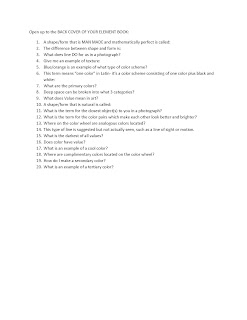
Complete the quiz inside the back cover of your Element Book. We are turning in Element Books today.

Thursday, September 24, 2015
Wednesday-Thursday we began learning Photoshop.
Click on the "Local Applications" folder, select the Adobe Design Premium folder, and double click either version of Photoshop to open.
Go to File-> New and enter an 8 x 10 inch, 300 resolution document.
We learned basic use of the Text Tool, Paint bucket tool, finding high quality source images using Google Image Search, pasting your image into Photoshop (CTRL+V), Transforming/changing the size of that image (CTRL+T), rearranging layers, naming layers, and deleting layers.
This 8x10 page has a photograph representing each element of art and a label expressing which element is represented. The document should be named Lastname_Firstname_elements.jpg

Click on the "Local Applications" folder, select the Adobe Design Premium folder, and double click either version of Photoshop to open.
Go to File-> New and enter an 8 x 10 inch, 300 resolution document.
We learned basic use of the Text Tool, Paint bucket tool, finding high quality source images using Google Image Search, pasting your image into Photoshop (CTRL+V), Transforming/changing the size of that image (CTRL+T), rearranging layers, naming layers, and deleting layers.
This 8x10 page has a photograph representing each element of art and a label expressing which element is represented. The document should be named Lastname_Firstname_elements.jpg

Tuesday, September 22, 2015
Critique Walk-through
Today I walked the class through writing their own 1 page critique based on the elements of art.
Monday, September 21, 2015
MONDAY: SUBSTITUTE assignment
Hi Guys! I am at an art teachers conference today. Your worksheet for the day is below. Just open it on your computer and complete #1-19 on your own sheet of paper, using your completed element books for answers.
Write in complete sentences.
This paper will be DUE to the sub at the end of the period.
When you get to #20, you will complete this in Word and save it on your computer. Read the directions carefully on #20. Remember: To open WORD on your computer, you need to go to the same folder on your desktop where you open Powerpoint.

Write in complete sentences.
This paper will be DUE to the sub at the end of the period.
When you get to #20, you will complete this in Word and save it on your computer. Read the directions carefully on #20. Remember: To open WORD on your computer, you need to go to the same folder on your desktop where you open Powerpoint.

Friday, September 18, 2015
Friday! 9-18-15
Add 5 textures cut from magazines to your texture page.
Add at least one picture of a 3d object for form.
Beautify your book and add finishing touches. Make it look nice!
Add extra pictures for other elements if you have room.
Add at least one picture of a 3d object for form.
Beautify your book and add finishing touches. Make it look nice!
Add extra pictures for other elements if you have room.
Thursday, September 17, 2015

Wednesday, September 16, 2015

Subscribe to:
Posts (Atom)